
PK96 Game Download New Money Earning App Free For Android
November 2026
10MB
1.4.1
Android 5+
10.6K+

Description
New mobile gaming platforms appear across local APK sites and community channels almost every week, making it tough to separate verified facts from rumor. If you have been browsing Android gaming forums or regional app directories lately, you have probably come across the name PK96 Game. Because independent platforms like this are typically shared via direct web links rather than standard app stores, finding clear, grounded guidance before installing them is essential.
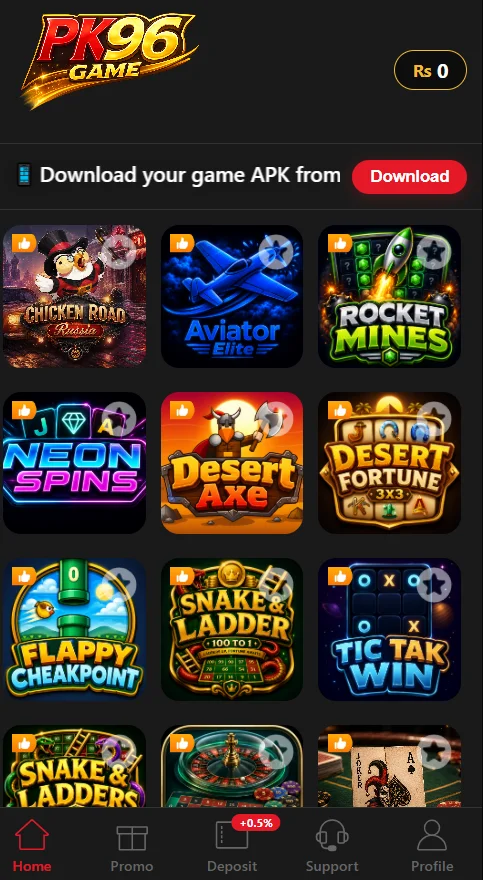
This article offers a practical, unbiased breakdown of PK96 Game for everyday mobile users. Below, we cover how the platform is structured, its core functionality, and step-by-step instructions for downloading and installing the Android package safely. You will also find straightforward account setup steps, practical gameplay habits, essential security precautions, and a balanced look at its pros and cons so you can decide whether it fits your device and routine.
What Is PK96 Game?
PK96 Game is a mobile-focused gaming platform designed primarily for Android smartphone and tablet users. Rather than delivering a single offline story campaign that demands hours of continuous play, platforms in this category act as centralized gaming hubs—bringing multiple casual, card, and quick-play formats together inside one application.
The app is built for everyday mobile players who prefer short, accessible sessions over heavy 3D console ports. While verified public documentation on PK96 Game remains limited—meaning exact game catalogs, regional rules, and version features can vary depending on where you access it—its general purpose is to offer a lightweight dashboard where users can manage a single profile and explore varied mini-games. Before installing or registering, players should always confirm the current release details and terms directly on the official portal. The related money earning app is PAKFUN Game.
Key Features of PK96 Game
Centralized Multi-Game Hub
- PK96 Game groups several quick-play categories inside one unified interface so users do not need separate apps for different game styles.
- Depending on the active release version, players can switch between casual reflex challenges, card tables, and score-based mini-games from a single home screen.
Lightweight Mobile Architecture
- Built with streamlined visual assets and efficient caching, the application avoids the multi-gigabyte storage demands common in modern 3D titles.
- This compact footprint allows smooth navigation on mid-range and older Android phones without excessive battery drain.
Beginner-Friendly Dashboard Layout
- Important sections—such as game lobbies, profile settings, and account tools—are arranged into clearly labeled menus.
- Newcomers can learn where essential controls live within seconds of launching the app rather than digging through buried submenus.
Responsive Touch Controls
- Fast-paced mobile sessions depend on accurate screen taps and swipes during time-sensitive rounds.
- The interface prioritizes clean input registration and quick transitions between lobbies to minimize frustrating menu lag.
Unified Profile Management
- Registered users get a dedicated account area that keeps track of basic display settings, session activity, and profile preferences.
- Having one centralized profile makes it easier to pick up where you left off across different play sessions.
How to Download and Install PK96 Game
Because PK96 Game is generally distributed as a direct Android package (APK) through official web portals rather than standard app marketplaces, setting it up requires a few manual steps.
Verify Device Compatibility
- Operating System: A modern Android phone or tablet (Android 7.0 or higher is recommended for reliable compatibility).
- Memory & Storage: Ensure you have at least 2 GB of RAM and roughly 150–200 MB of free internal storage for the installer and temporary cache files.
- Network Connection: Use a steady Wi-Fi or mobile data connection so the APK package downloads completely without file corruption.
Download the Official APK File
- Open your preferred mobile web browser and navigate directly to the verified PK96 Game portal.
- Locate the official Android download button on the main page and tap it to begin saving the package.
- Confirm the prompt if your browser displays a standard notice regarding APK downloads.
- Wait until the download finishes completely before opening the file from your storage.
Adjust Security Permissions and Install
- Open your phone’s Settings menu and go to Security or Apps & Notifications (the exact menu title depends on your device brand).
- Select Install Unknown Apps and grant temporary permission to the browser or file manager you used to download the file.
- Open your Downloads folder, tap the PK96 Game APK file, and select Install.
- Once installation completes, launch the application and consider disabling the unknown sources permission afterward to keep your phone protected.
How to Create an Account and Get Started?
Setting up your profile on PK96 Game takes only a couple of minutes once the app is installed:
- Launch the Application: Tap this game icon on your home screen and allow any initial interface resources to load.
- Select Registration: Look for the Register or Sign Up button on the welcome screen (some versions may offer limited guest browsing, while registered accounts save your settings).
- Enter Requested Details: Choose a unique username, enter the required contact information—such as a mobile number or email address, depending on the version—and create a strong password.
- Complete Verification & Review Terms: Enter any verification code (OTP) if prompted, and read the platform’s terms of service and privacy policy carefully before finalizing signup.
- Configure Basic Settings: Log into your dashboard and visit the settings icon to adjust sound levels, notifications, and display preferences before starting your first session.
Tips for a Better Experience
- Explore Menus Before Playing: Spend your first few minutes checking the rules and layout of each game mode so you understand how scoring and controls work.
- Stick to One Reliable Network: Switching between weak cellular signals and Wi-Fi mid-session can cause disconnects or sync delays.
- Clear Temporary Cache Periodically: If menus ever feel sluggish after regular use, clearing the app cache in your Android settings often restores smooth speed.
- Check for Verified Updates: Visit the official portal occasionally for newer releases that patch bugs and improve device compatibility.
- Set Personal Screen-Time Limits: Short, fast-paced sessions make it easy to lose track of time, so deciding on a daily limit keeps gaming relaxed and balanced.
Safety Instructions
When installing and using third-party Android gaming platforms, protecting your device and personal information should always come first:
- Use Only Official Download Links: Avoid random APK files shared in messaging groups or unverified mirror websites, as altered packages can contain intrusive adware or malware.
- Inspect App Permissions Carefully: A standard gaming platform only needs basic internet and storage access. Decline or uninstall immediately if an installer requests unnecessary access to your contacts, SMS messages, or call logs.
- Protect Your Account Credentials: Create a unique password that you never reuse on email, banking, or mobile wallet apps, and never share OTPs or verification codes with anyone claiming to be support staff.
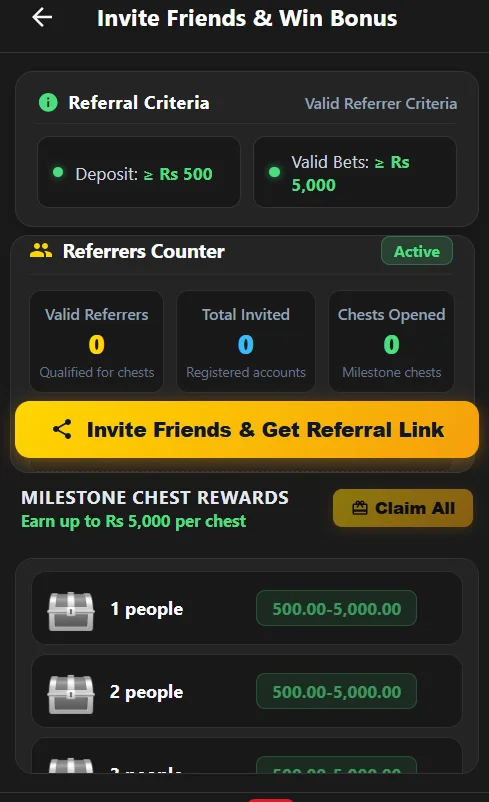
- Maintain Financial Discipline: If the version of PK96 Game you access includes optional in-app purchases, wallet features, or promotional rewards, never treat mobile gaming as a guaranteed source of income. Always confirm supported payment terms inside the official app, set strict spending limits, and step away if play stops being fun.
Pros and Cons
Pros
- Compact App Size: Runs smoothly on everyday Android devices without requiring flagship hardware.
- Multiple Modes in One App: Combines several quick-play formats inside a single dashboard.
- Straightforward Navigation: Clean menus make it easy for beginners to find settings and game lobbies.
- Quick Setup Process: Registration and basic configuration take only a few minutes.
Cons
- Manual APK Installation: Requires downloading outside standard app stores and adjusting Android security permissions.
- Limited Verified Public Details: Exact game catalogs, supported payment options, and rules can vary by version and require confirmation inside the app.
- Internet Dependent: Most interactive features and profile syncing require an active online connection.
Conclusion
PK96 Game offers a lightweight, accessible mobile gaming hub tailored for Android users who enjoy fast-paced, session-based entertainment without heavy storage demands. By bringing multiple quick-play formats together inside a clean dashboard, it provides a convenient option for short breaks. As with any third-party APK platform, the smartest approach is to stick strictly to official download sources, verify version-specific rules and permissions before registering, and keep your gaming habits balanced and responsible.
Frequently Asked Questions
What is PK96 Game?
This online game is an Android-oriented mobile gaming hub that brings multiple casual, card, and quick-play game formats together under a single user profile.
Is this game free to download and install?
Yes, downloading the base APK file from its official portal is generally free, though individual versions may include optional in-app items or paid features depending on your region.
Can I install PK96 Game on an iPhone or iPad?
The application is primarily built for Android devices via APK installation. Unless the developers explicitly list an official iOS release or web version on their verified portal, it is intended mainly for Android users.
Why does Android show a security prompt during installation?
Android displays a standard warning whenever you install any application from outside the Google Play Store. As long as you downloaded the file directly from the official this game source, this is a routine system precaution.
Download links
How to install PK96 Game Download New Money Earning App Free For Android APK?
1. Tap the downloaded PK96 Game Download New Money Earning App Free For Android APK file.
2. Touch install.
3. Follow the steps on the screen.